
Megastore Tidy Up Together No in-game redeem codes
Megastore: Tidy Up Together is a paid Steam game. There is no code box, daily gift string, or Roblox-style redeem panel.
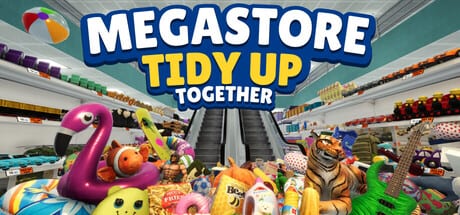
Megastore: Tidy Up Together does not ship with promo codes, daily gift strings, or an in-game redeem box. Yolo Games Studio released the title as a paid Windows game on Steam on 2 September 2026. If you arrived from a Roblox tidy-up wiki, the code table you expected is not part of this product.
This hub stays up because “Megastore codes” is a real search. The honest answer is that nothing in the pause menu, HUD, skill tree, or settings screen accepts a typed string. Progress comes from shelving products in the Toy Store, Supermarket, and two-story Megastore — not from a creator drop.
There is no redeem panel
Open the game and you will find FOV, volume, rebinds, Unstuck Product, and save/load. You will not find a 16-character key field, a Twitter code slot, or a seasonal gift box. Steam’s 33 achievements, skill points, and store unlocks are earned in play. Hotfix 1.0.1 on 3 September 2026 patched stack capacity, Long Reach, and achievement tracking; it did not add codes.
Third-party posts that list “working Megastore codes 2026” are copying a free-to-play format onto a paid Steam sim. Ignore them. A wiki that pretends a code exists wastes a session you could spend on the Getting Started guide.
Steam keys are not in-game codes
The only keys that matter are Steam activation keys. Buy the game on the official store or redeem a key you were gifted, then launch from your library. After activation there is nothing further to type inside the shop.
Launch price is about $5.99 USD. Some storefronts ran a 15% introductory discount around release. Regional Steam prices differ; check the store page in your account currency instead of converting a screenshot from another country. A grey-market listing far below that price is a risk: stolen keys, region locks, and revoked activations cost more time than the game is worth.
Confirm you can run it before you gift a copy. The system requirements page lists the Windows 10 64-bit minimum, including an i5-3550 or Ryzen 5 2500X, 8 GB RAM, a GTX 1050 Ti, DirectX 11, and 8 GB of storage.
Family Sharing and gifts
Steam Family Sharing is enabled. A household can share a library so another PC can run Megastore without a second purchase. Online co-op still needs a valid Steam session for each player who joins; sharing does not clone a concurrent slot if Steam’s family rules block it. Gifting from the store page is the clean way to send the game to someone outside your family group.
After the library entry appears, follow the Getting Started guide for the first-hour loop, then keep the install patched from the updates hub. Official store, Discord, and support contacts live on the links hub.
Why Roblox-style codes do not apply
Roblox experiences often fund cosmetics with timed codes because the client is free. Megastore is a paid Steam product with a skill tree, Steam Cloud, full controller support, and three launch stores (Toy 3,555 items on 297 shelves, Super 7,934 on 487, Mega 13,380 on 978 across nine departments). Monetization is the purchase price. The studio has not announced a code drop, a battle-pass string, or a creator program.
If that ever changes, this page will list the string, the reward, and the expiry. Until then, the useful “code” work is: buy or gift the game, confirm Family Sharing, and play on a patched build.
What to do instead of hunting codes
Spend that time on the actual loop. Read aisle signs, group matching products, and clear the remaining HUD count. The store sweep checklist is a better use of an evening than refreshing a fake table. Solo and online co-op both work; co-op is the sane way through the two-story Megastore.
Do not paste random keys into Steam either. Only redeem a key you bought or were gifted. Purchase problems go through Steam or the studio email on the official links page — not through a wiki comment.
Until Yolo Games Studio publishes an official redeem string — which they have not done at launch or in hotfix 1.0.1 — treat every “working codes” list as leftover Roblox SEO. Buy the game, share it through Steam, and spend the session on shelves instead of a code box that does not exist.
Frequently Asked Questions
Quick answers to the most common questions.
Are there working Megastore: Tidy Up Together codes right now?
No. The game has no in-game redeem box and no official promo-code list as of launch on 2 September 2026 or hotfix 1.0.1 the next day.
Where do I redeem a Steam key?
In the Steam client choose Games, then Activate a Product on Steam. After that, launch from your library. Nothing inside the store HUD accepts a key.
Does Steam Family Sharing work?
Yes. Family Sharing is enabled. Online co-op still follows Steam's family and session rules, so each joining player needs a valid way to run the game.
Is the game free, or is there a code that unlocks stores?
It is a paid Windows Steam title at about $5.99 USD. The Toy Store, Supermarket, and Megastore unlock through play, not through a typed string.
Why do other tidy-up games post weekly codes?
Many Roblox tidy-up experiences are free-to-play and drop cosmetic codes. Megastore is sold once on Steam, so that loop was never built.
Who do I contact about a bad key or a missing gift?
Use Steam support for store transactions. Studio contacts are on the links hub. Patch news is on the updates hub.