
Megastore Tidy Up Together Session tools for Megastore
Printable sweep habits, HUD remaining counts, Unstuck Product notes, and the Windows spec sheet — not in-game widgets.
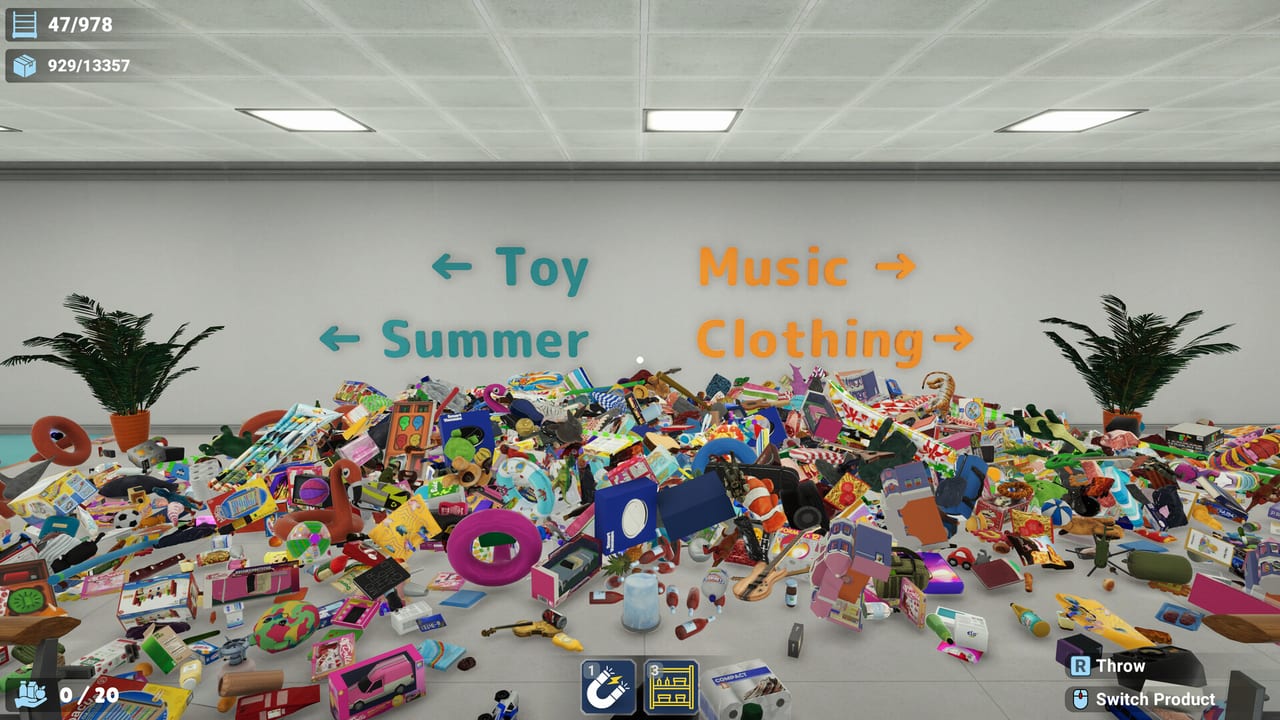
Megastore: Tidy Up Together does not include a built-in planner, overlay, or companion app. The tools on this wiki are session habits you run beside the game: a per-store sweep checklist, and a system-requirements sheet so you know whether a PC can hold a twelve-hour Megastore night. Both assume the 2 September 2026 Steam release, online co-op plus solo, and hotfix 1.0.1 on 3 September 2026.
Use this hub before you start a store, not after the HUD is stuck on four mystery SKUs. The store sweep checklist is the page you keep open while you walk aisles. The Unstuck and Saves page is for collision, crash-saves, and ESC pause after hotfix 1.0.1. The system requirements page is the page you send to a friend before they buy a ~$5.99 copy they cannot run.
What these tools are for
The three launch stores are large enough that memory fails. Toy Store is 3,555 products on 297 shelves. Supermarket is 7,934 on 487. The two-story Megastore is 13,380 on 978 shelves across nine departments. A remaining-count habit, a last-item hunt order, and a known Unstuck Product step stop those numbers from turning into a ghost hunt.
The spec sheet exists because the game is Windows-only, uses DirectX 11, and asks for an i5-3550 or Ryzen 5 2500X, 8 GB RAM, a GTX 1050 Ti, and 8 GB of disk. Full controller support, Steam Cloud, and 33 achievements are listed there too, including the left-trigger overlap you should rebind on day one. Read controls after you confirm the GPU can drive the atrium.
These pages do not replace walkthroughs. For the first hour, open the Getting Started guide. For department routes, use the Toy Store, Supermarket, and Megastore guides. For movement and carry upgrades, use the skill tier list and best skills. This hub is the clipboard, not the campaign.
Store sweep checklist
Keep the store sweep checklist next to the HUD. Log remaining item and shelf counts when you enter a department and when you leave it. If the number does not drop, you left a cluster on a top deck, behind a register, or inside geometry — which is when Unstuck Product matters. The checklist splits Toy, Super, and Mega so you do not apply a 3,555-item loop to a 13,380-item building.
Save after each finished department. Steam Cloud will sync; a crash mid-carry will not. Hotfix 1.0.1 pauses time in the ESC menu when you are the only player in the session, which makes a solo save safer than it was on launch night. Co-op partners should still call remaining counts out loud so two people do not hunt the same last crate. Role split lives on co-op roles and the co-op guide.
System requirements
Open system requirements before you gift the game or start a co-op lobby. Minimum is Windows 10 64-bit, i5-3550 / Ryzen 5 2500X, 8 GB RAM, GTX 1050 Ti, DirectX 11, 8 GB storage. Recommended steps up to an i5-7600K / Ryzen 5 2600X and a GTX 1060 3 GB. There is no macOS or native Linux build. Steam Cloud and 33 achievements are on; Family Sharing is on, which the codes hub explains because people keep searching for redeem strings that do not exist.
Accessibility is pace, not a separate mode: save anytime, no timed fail state, play as long as you want. FOV, volume, and full rebind are in settings. Controller users should split grab and skill inputs — the left trigger often overlaps shelf-pull with an active skill. That caveat is on the spec page and in controls.
How to use this hub in a real session
- Confirm the PC against system requirements and rebind if you are on a pad.
- Open the matching store guide, then the store sweep checklist.
- Write down the HUD remaining count before you start a department.
- Sweep floors, then tops, then backs of fixtures. Last-item hunt only when the count is small.
- If the HUD stalls, run Unstuck Product, save, then hunt. Do not restock a new aisle while four SKUs are missing.
- After the store opens, check hotfix 1.0.1 and the updates hub so the next session uses current stack and reach rules.
Official store, Discord, and support contacts are on the links hub. This wiki is unofficial; the tools here are player methods, not studio widgets.
Open the store sweep checklist before a Megastore night so remaining HUD counts and Unstuck Product are part of the plan, not a panic tool at hour twelve. Confirm the system requirements page before you invite a friend whose laptop still ships a 2 GB GPU. The tools here exist to cut wasted sessions, not to add another menu.
Frequently Asked Questions
Quick answers to the most common questions.
Does Megastore include an in-game planner or overlay?
No. Use the store sweep checklist beside the HUD. The game itself only shows remaining item and shelf counts.
Which tool should I open first?
Send new players to system requirements. Once the game runs, keep the store sweep checklist open for the store you are clearing.
Do these tools work for solo and co-op?
Yes. Remaining-count calls matter more in online co-op, but the same sweep order works in solo play.
Is Unstuck Product a wiki tool or a game setting?
It is in the game. The checklist tells you when to use it. Hotfix 1.0.1 added a missing Supermarket area to its coverage.
Where do I find official download and support links?
The links hub lists Steam, Discord, the studio site, and the support email. This Tools Hub is unofficial.