
Megastore Tidy Up Together Unstuck Product and save recovery
Settings menu, Steam Cloud copies, crash backups, and the solo-only ESC timer pause.
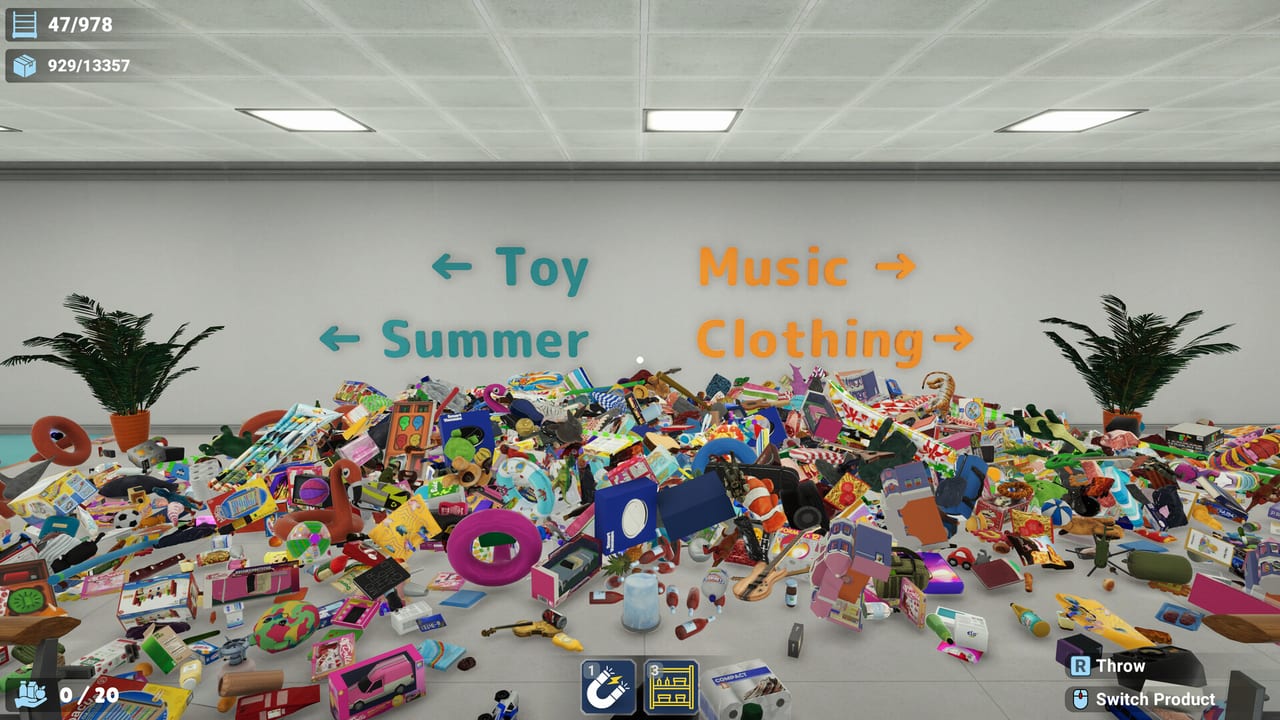
Megastore: Tidy Up Together launched on Steam for Windows on 2 September 2026 as a paid tidy sim with online co-op and a full solo path. Steam lists save anytime. Windows Steam Cloud is on. This page is the recovery desk: where Unstuck Product lives, how to keep a file when autosave lies, and why you should never host a co-op night on your only 100% slot. Pair it with the store checklist while a shop is open, and with system requirements before a twelve-hour Megastore.
Unstuck Product is an in-game settings tool, not a wiki overlay and not a skip button. Run it when a SKU is in geometry. It does not fill a shelf, invent a remaining count, or replace a last-item hunt. Use it when the HUD still wants products you cannot see, then save, then hunt.
Where Unstuck Product lives
Open the pause flow and find Unstuck Product in settings. After hotfix 1.0.1 (3 September 2026), a small Supermarket area that was missing from that menu is included. If a fresh-food or side-bay product sat in collision on launch night, try the patched list before you abandon the grocery file.
When HUD remaining stalls, do this in order:
- Stop opening new departments. Four missing SKUs is not a reason to start a new aisle.
- Walk a perimeter, then fixture tops, then under and behind. Last-item hides are listed on hidden items; the sweep order sits on the store checklist.
- Open settings and run Unstuck Product once.
- Save. Then hunt only the remaining SKUs.
If the count still will not drop, you are looking at a hide, a wrong department, or a file you should not keep overwriting. Pair Unstuck with a flashlight pass, not with Magnet spray. Rebind grab so it does not fire Magnet; the controls page covers the left-trigger overlap that dumps an ability while you meant to pull a box.
Save anytime, Steam Cloud, and crash reports
Steam’s category line is honest: you can save anytime. There is no timed fail state. A store does not close on you. That is the accessibility feature that matters for sore wrists and late sessions — you can stop. Use it.
Windows Steam Cloud is enabled. Treat Cloud as a second copy, not as proof that the slot in front of you is safe, and not as the only 100% file you will ever need. Players reported crash plus autosave wiping hours. One pattern is brutal: a store that already had thousands of items shelved — reports cite roughly 4,000 complete — loading back with progress in the single digits, for example down to six items placed. That is not a last-item hunt. That is a destroyed slot. Hotfix 1.0.1 repaired pause, perks, and Unstuck coverage; it did not claim to rewrite the save system.
Practical save rules that survive a long night:
- Save when a department remaining count hits zero, not only when you quit.
- Save after Unstuck Product, after a crash recovery, and before you Alt-F4.
- Confirm Steam Cloud in the Steam client, then still keep a named local copy you can roll back.
- After a crash, compare remaining counts before you keep playing. Do not boot the first slot you see and overwrite the better one.
- Do not treat one file as the only 100% slot. If Cloud and disk disagree, keep both until you know which HUD number is real.
Hardware that keeps a long session alive is on system requirements. Cloud will not rescue a laptop that never met minimum. It also will not restore a slot you overwrote with a crashed autosave.
Solo copies versus partner copies
Players asked for separate solo versus partner saves. That is a request, not a shipped feature. Hosting online co-op writes onto the file you load. A magnet party on your no-skills Megastore is how a badge run dies. Achievements that need a clean store still sit on that same slot.
Before a co-op night:
- Copy the slot you care about. Host from the copy you can share, not from the only file that still has a no-skills Toy Store clear.
- Screenshot HUD remaining before anyone joins. Call that number in voice so the lobby does not hunt a count you already lost.
- Do not assume ESC is a freeze for friends. After 1.0.1, ESC pauses the timer only when you are the only player in the session. It does not freeze co-op. Agree a department boundary if someone needs a bio break.
- After the lobby, load the copy you meant to keep, not whichever file Steam last wrote.
Solo play is the mode that actually gets the pause. Use it to save, think, and run Unstuck without a partner walking into the same bay. If you later add a friend, treat the invite as a fork of the file, not as a second column in a save menu that does not exist.
Pause, Magnet, and last-item hunts
A stalled HUD is usually one of three things: a SKU in collision, a hide, or a skill that yeeted stock into a hole. Unstuck covers collision. Hides belong on hidden items. Achievements that need every SKU still need those last pieces; a crash rollback can also drop a tracker you thought you earned.
Controller default layouts often put grab on the same trigger as an active skill. Magnet on a last-item hunt is how product disappears into geometry you then have to Unstuck. Split grab from skills on first boot. Keyboard and mouse remain the safer pair for a 100% attempt. Details live on controls.
When remaining is small:
- Stop restocking a fresh department.
- Run Unstuck once, save, then hunt.
- In solo, open ESC, confirm the timer paused, and write the remaining count down.
- In co-op, call the number out loud. Two hunters in one aisle miss the other floor.
A recovery checklist you can actually run
Before a long Megastore session: patch to 1.0.1 or newer, confirm Cloud, duplicate the slot, rebind grab, then start. During the session: save at every department door. When remaining stalls: Unstuck, save, hunt — do not abandon the file on the first missing crate. After a crash: do not keep playing on the first slot you see. Compare remaining counts, keep the higher-progress copy, and only then resume.
The game is still a released Windows title with online co-op plus solo. Unstuck Product is a settings tool, not a difficulty toggle. Steam Cloud is a backup, not a time machine. Host friends on a spare. Pause is a solo timer freeze. Those four sentences are the whole policy; everything else is habit. Return to the Tools Hub if you need the sweep clipboard instead of this recovery desk.
If a grocery remaining count will not move after a full aisle lap on the patched Unstuck list, you are no longer in a sorting problem — you are in a file-hygiene problem. Duplicate the slot, write the HUD number on paper, and hunt the missing SKUs instead of starting Super from six items as if the 4,000 you already placed never happened.
Frequently Asked Questions
Quick answers to the most common questions.
Where is Unstuck Product?
In settings, from the pause flow. Hotfix 1.0.1 (3 September 2026) added a missing Supermarket area to that menu. See hotfix 1.0.1.
Does ESC pause the timer in co-op?
No. After 1.0.1, ESC pauses the timer only when you are the only player. It does not freeze a populated lobby. Solo details are on solo play.
Did hotfix 1.0.1 fix crash plus autosave wipes?
No. Players still reported hours lost (for example thousands of items complete down to six). Steam Cloud is on; do not treat one file as the only 100% slot.
Are there separate solo and partner saves?
No. Players asked for that split; it is not a shipped feature. Host co-op on a copy you can share.
When should I run Unstuck instead of abandoning the file?
When HUD remaining stalls after a department lap. Run Unstuck, save, then hunt. Last-item hides are on hidden items and the store checklist.
Why rebind grab before a 100% run?
On many pads, grab shares a trigger with Magnet. That overlap yeets last SKUs into geometry. Split the binds on the controls page before you host.